Every channel, one workspace
Website chat, email, WhatsApp, and voice — all handled through one AI customer service platform instead of scattered tabs and lost context.
Tinfiz brings AI chat support, automated customer service, knowledge base, email, WhatsApp, voice, CSAT, and analytics into one intelligent helpdesk — so your team handles less, resolves more, and stays in control.
Start with a plan trial and continue on the same plan for production.
Problem to solution
What breaks
Most support teams stitch together four or five disconnected tools. A customer support chatbot from one vendor. An AI helpdesk from another. WhatsApp through a third. Voice somewhere else entirely. Each tool has its own login, its own context, and its own monthly cost.
Then comes the pricing model. Per seat, per resolution, per channel — every new hire and every busy week adds another line item. The AI customer support agent isn't included. Voice costs extra. WhatsApp is another tier. Automated customer support features you assumed were standard turn out to be add-ons. The bill just keeps growing.
What Tinfiz changes
Tinfiz brings every channel — AI chat support, email automation, WhatsApp, voice, and more into one unified workspace, at one flat monthly price. Not per agent. Not per resolution. Your bill stays the same even if your hiring trends or volume goes up. One AI customer service platform. Everything included. No hidden fees.
Website chat, email, WhatsApp, and voice — all handled through one AI customer service platform instead of scattered tabs and lost context.
Your AI customer service agent responds only from verified knowledge sources, with built-in source health monitoring and fallback handling for anything unconfirmed. Teams never have to second-guess what customers are told.
Tinfiz unifies AI support ticket automation, human agents, actions, CSAT, and analytics into one clean operation, so quality doesn't get lost across five separate platforms.
Let AI answer from approved knowledge, call safe API actions, and request handoff when the customer needs a person.
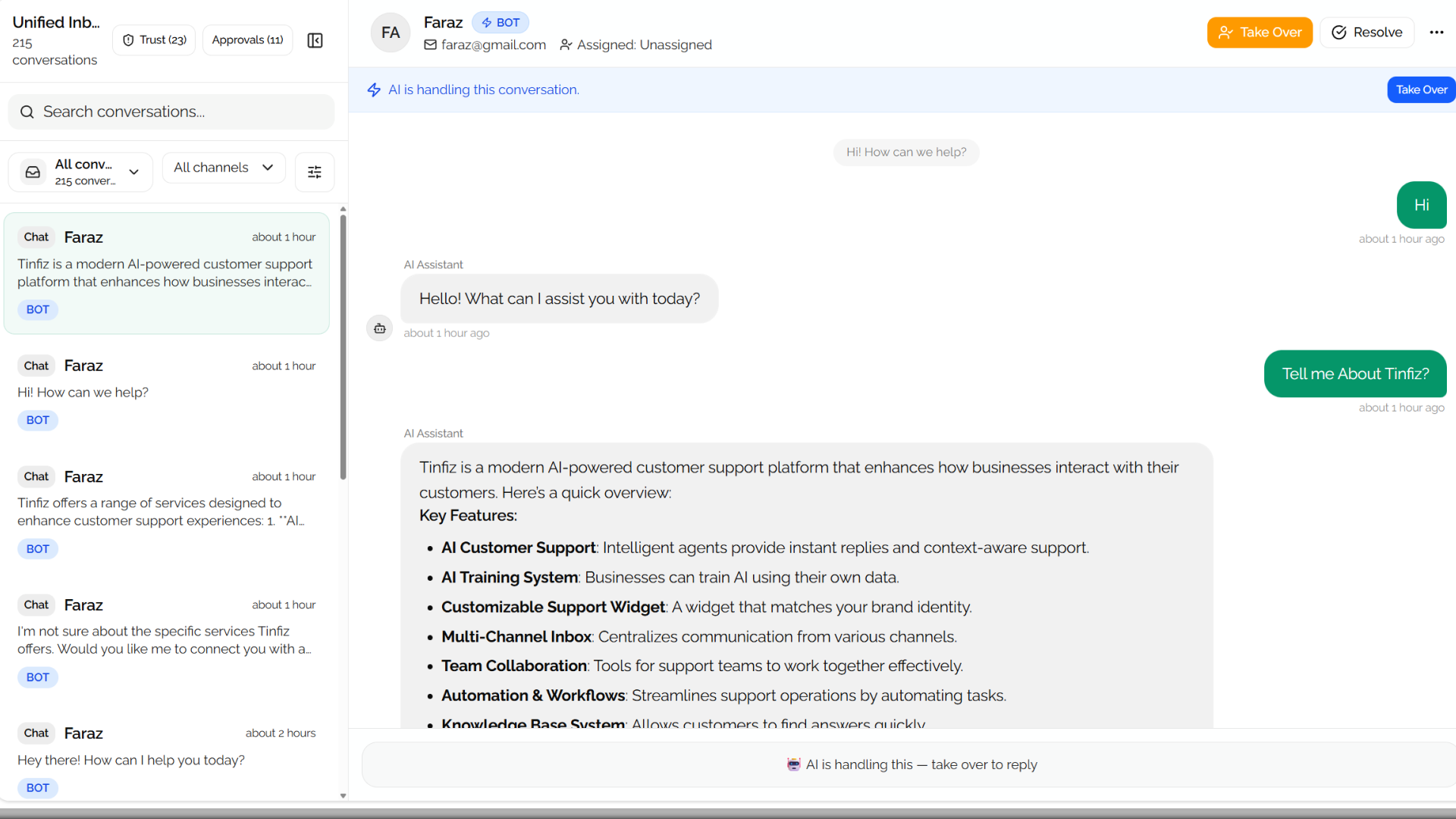
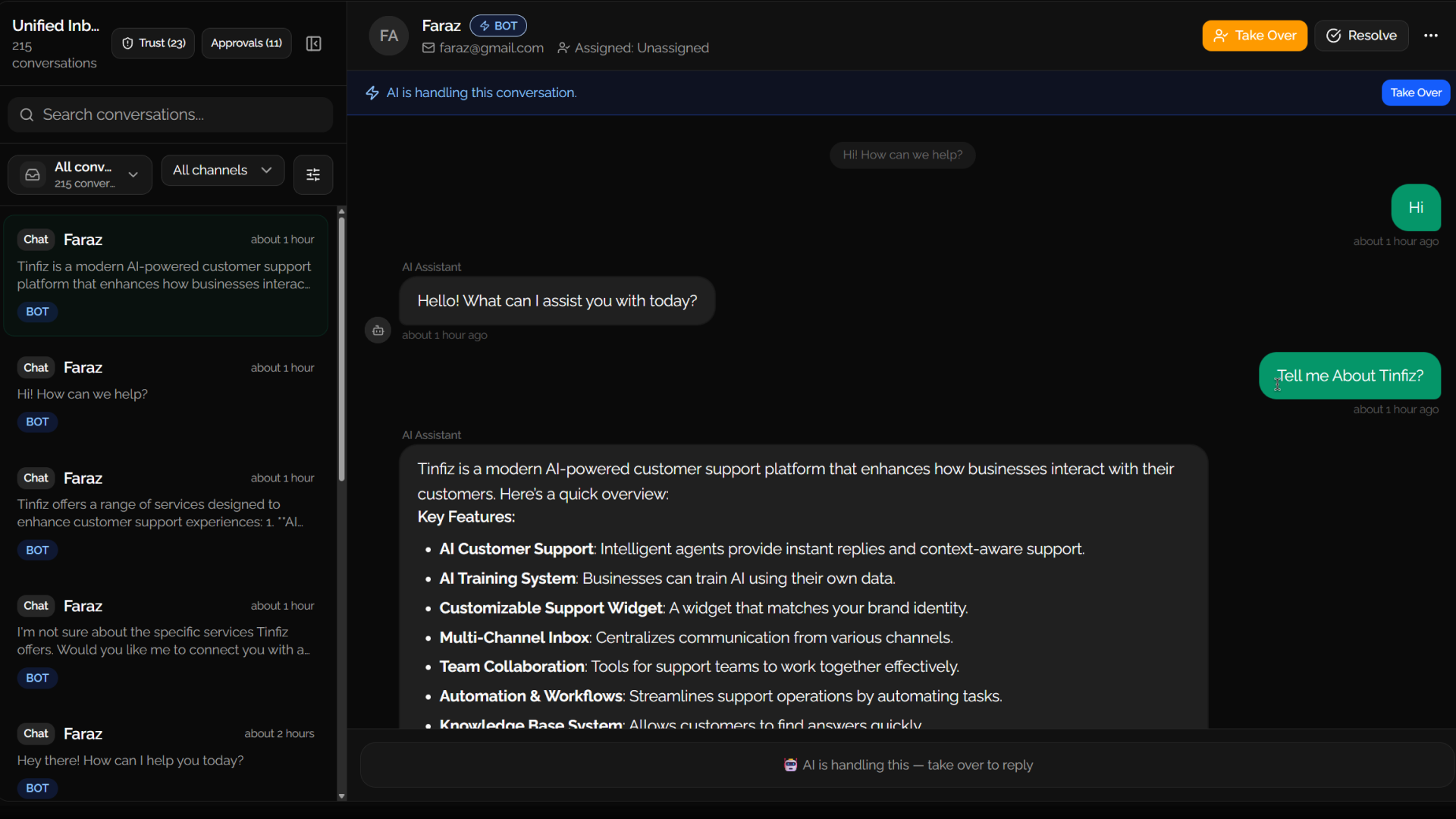
Your team keeps visibility through assignments, notes, timeline, approvals, CSAT, and analytics.
Tinfiz brings live conversations, inbox ownership, SLA pressure, internal notes, knowledge source visibility, and AI support assistant capabilities into one operational surface. Whether you're running a human team or a fully automated customer support operation, your agents always have full context — no tab switching, no missed history, no blind spots.
Let AI read approved systems through safe API actions, with every request visible before it runs.
Test your AI customer support agent's actions, parameters, and failures before launch.
Safe
Write actions wait for approval.
Visible
Logs show request, response, status, and latency.
Scoped
Secrets and outbound domains stay controlled.
With Tinfiz AI every action you take is logged, reviewable, and recoverable.
Parameter check
orderId
Execution preview
GET /orders/{id}
Approval gate
write actions
Deploy AI chat support on your website first, then scale to email, WhatsApp, and voice when you need to cover more ground — one platform, one team, no scatter.
Starter
Start with the fastest surface for AI chat support. Widget conversations, automated replies, full history, and seamless human takeover.
Pro + Scale
Handle structured conversations where customers expect complete context, delivered by an AI customer service agent that knows when to escalate.
Pro + Scale
Support high-intent mobile conversations with an AI agent for customer service built for concise answers and channel-specific formatting.
Pro + Scale
Use 24/7 AI customer support for calls, with transcripts, summaries, and full follow-up context fed back into your support workspace.
Starter includes website chat only.
Pro and Scale include email, WhatsApp, and voice with usage limits.
Tinfiz turns conversation demand, SLA pressure, customer satisfaction, AI quality, and channel health into one operational view for the team.
Performance and satisfaction
Demand, SLA, CSAT, AI quality, and channel visibility.
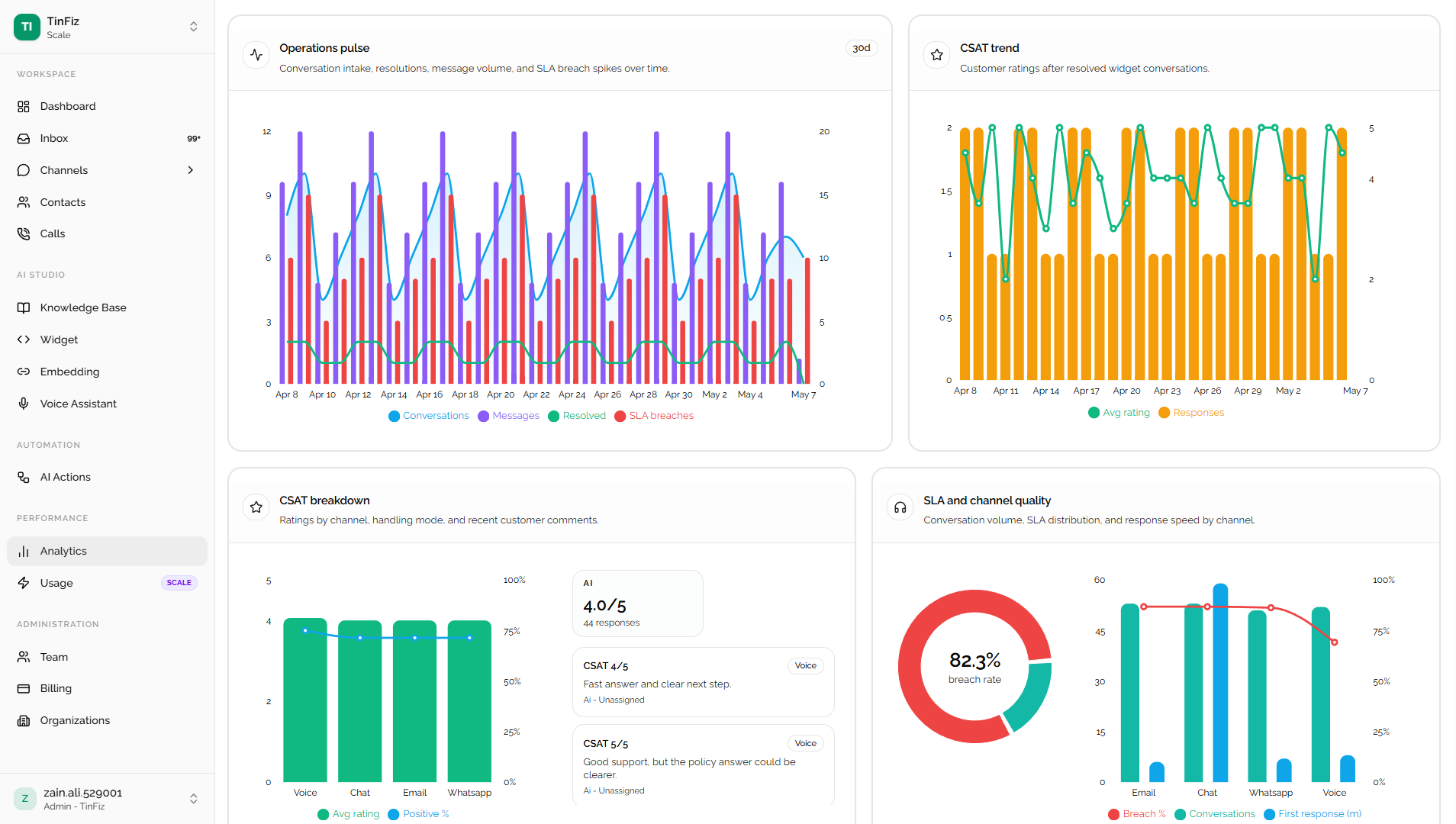
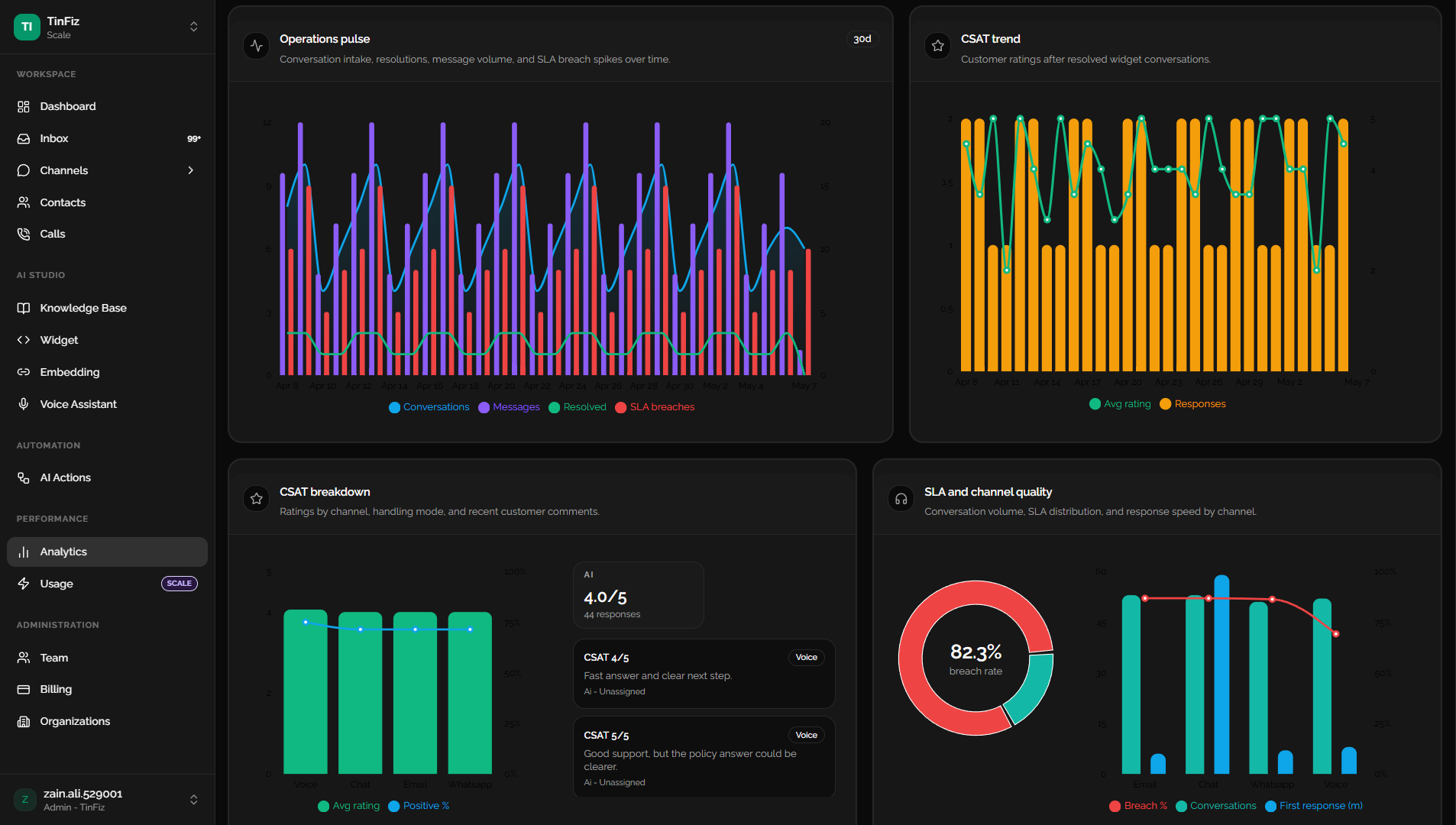
Track AI customer support volume, intake patterns, and resolution movement before queues pile up.
See at-risk and breached conversations beside the channels causing pressure on your AI helpdesk.
Measure customer sentiment after resolved conversations and compare AI vs human handling.
Review AI support automation confidence, action success, failure reasons, retries, and latency across every interaction.
Understand where AI chat support, email, WhatsApp, and voice need clear attention from the team.
Confirm your AI powered customer support software has the essentials set up before you scale.
A quick, practical overview of how Tinfiz fits into a support workflow without overcomplicating your setup.
Start with the widget and knowledge base, then add channels, AI Actions, voice, CSAT, and reporting when your team is ready.
Simple enough for day one. Strong enough to scale.
Start with a customer service chatbot for your website and get your first support surface live.
Ground your AI agent for handling customer queries in approved content from day one.
Route, assign, take over, measure, and improve your automated customer support operation from one place.


